Togeda Bridge
Browsers can't load plug-ins, so Togeda Bridge does it for them. It is a small app that runs next to your browser and hosts your Audio Units (Mac), VST3 and CLAP plug-ins. Their audio goes to and from Togeda; their windows open on your desktop as usual. Bridge also lets Safari and Firefox use Places (folders on your computer).
Install
| Download | Needs | |
|---|---|---|
| Mac | Togeda-Bridge-macos.zip | macOS 12 or later, Apple silicon or Intel |
| Windows | Togeda-Bridge-windows.zip | Windows 10 (1903) or later, 64-bit |
- Mac: unzip, move Togeda Bridge to Applications and open it. The app is signed and notarized by Apple.
- Windows: unzip and run Togeda Bridge.exe. It is not code signed yet, so Windows SmartScreen asks first: choose More info, then Run anyway.
Togeda Bridge updates itself on both systems.
Pair it with your browser
- Open Togeda Bridge. It shows a six-digit code.
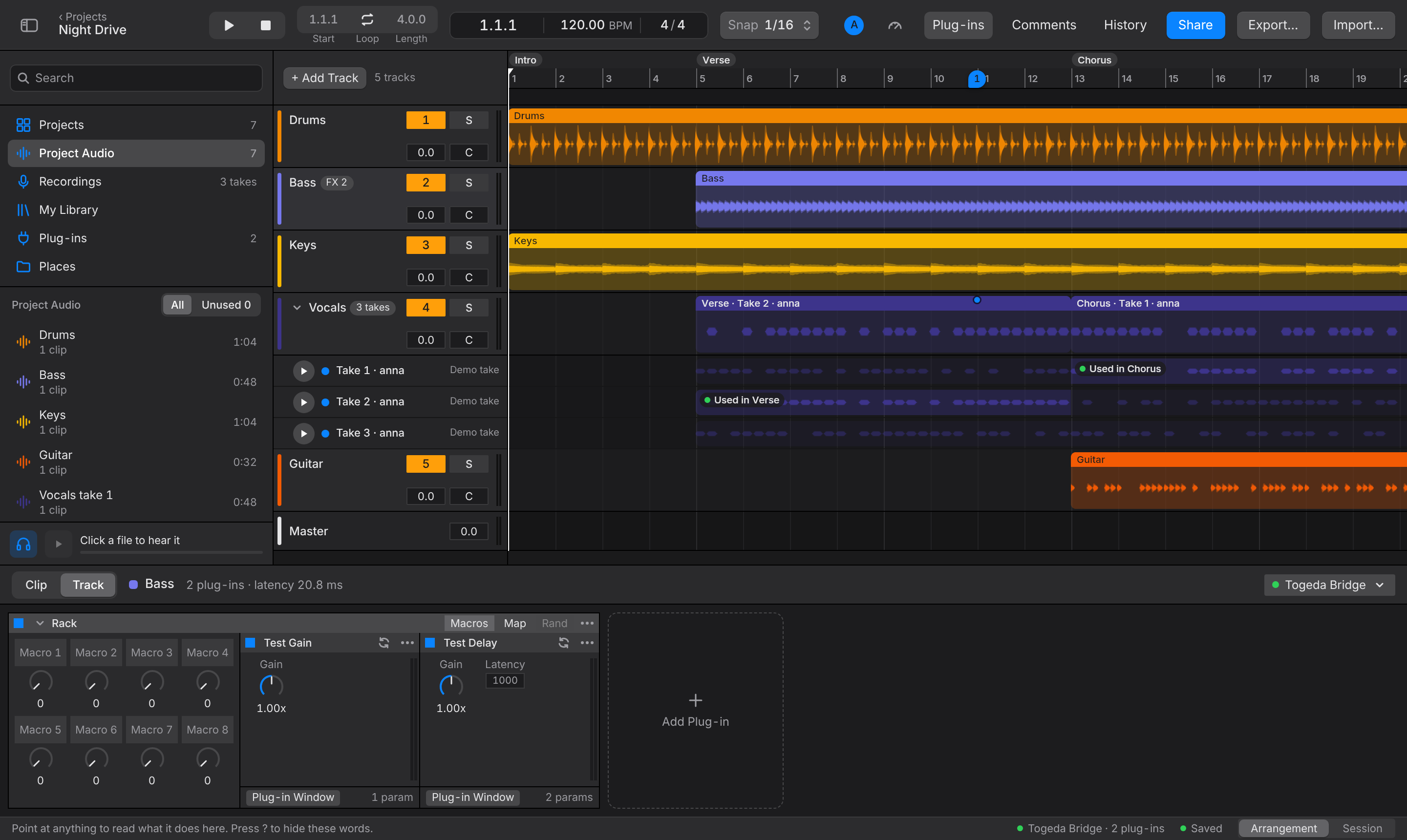
- In a Togeda project, choose Connect to Togeda Bridge (in Track View, or in the Plug-ins section of the browser).
- Type the code and choose Pair.
You pair once per browser. After that Togeda finds Bridge by itself, also after a reload, and plug-ins load without asking.
Use plug-ins
- The Plug-ins section of the browser lists every plug-in Bridge found. Drag one onto a track, or into Track View.
- Plug-in Window on a plug-in card opens its own window on your desktop.
- The Togeda Bridge button at the top right of Track View shows the round trip time, dropouts and where the CPU goes. Choose Rescan Plug-ins (in the Plug-ins section's right-click menu) after installing new ones.
- Plug-ins run on the computer of the person who is listening. Your bandmates need the same plug-ins installed and their own Bridge to hear them. A card says Not installed on this Mac when a plug-in is missing; the track then plays without it.
See Mixing for racks and macros.